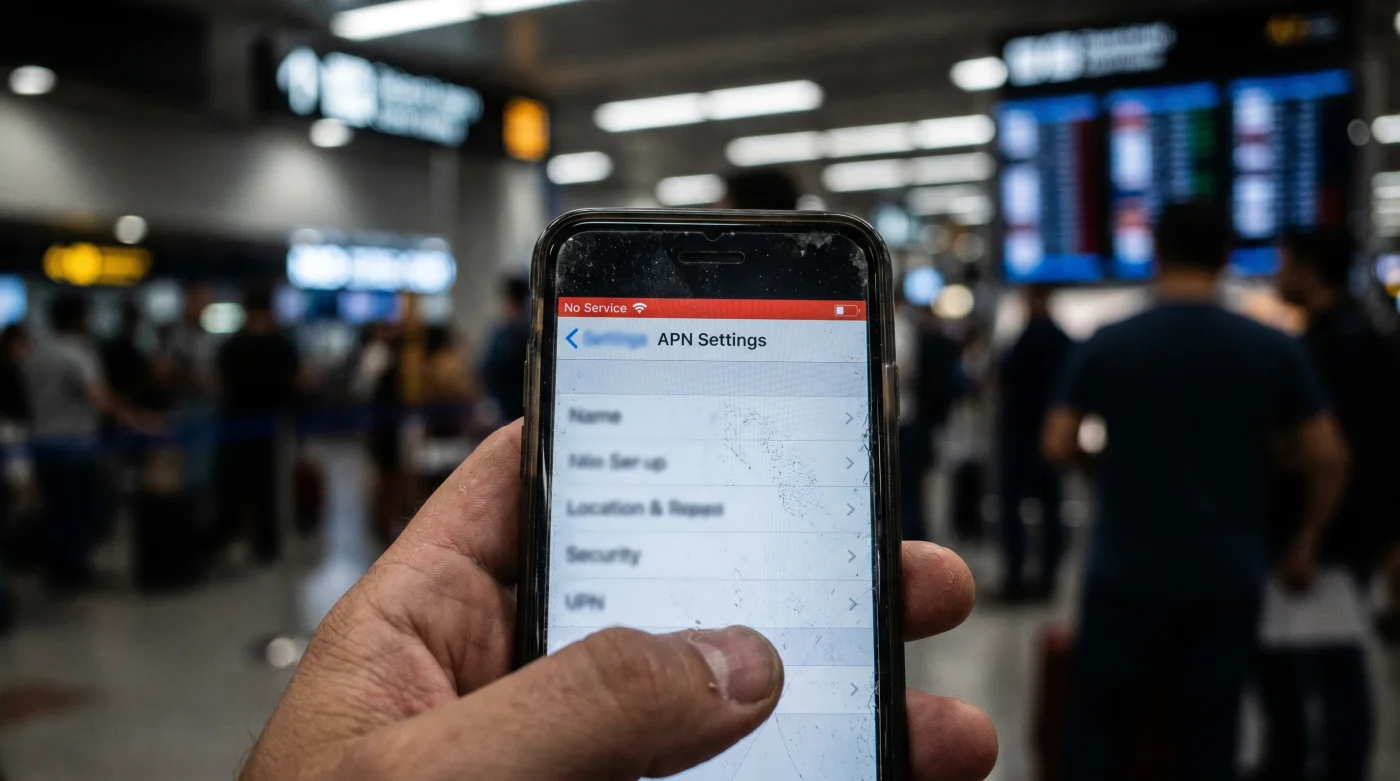
The rhythmic thud of the train tracks slows just enough to announce a change in scenery. You are somewhere between the pine-heavy hills of southern Germany and the crisp, high-altitude air of the Austrian border. The conductor moves down the aisle, asking for digital transit passes. You reach for your phone, fully expecting the little bars of your Airalo regional eSIM to be standing at attention. Instead, there is nothing but the hollow grey void of ‘No Service.’
It is a uniquely modern kind of panic. You paid for a multi-country data plan specifically to avoid this exact scenario. The marketing promised a frictionless glide across invisible national lines, a digital passport that required no physical stamping. Yet, right at the critical transit junction—where navigation, translation, and ticketing matter most—your screen refuses to load.
The natural instinct is to toggle airplane mode on and off, hoping a quick reset will force the phone to wake up and grab a signal. Sometimes it works, but more often, you are left watching the carrier icon spin endlessly. The phone is physically capable of connecting, but it is trapped in a quiet tug-of-war between two competing radio towers, effectively rendering you digitally stranded in the middle of nowhere.
Understanding why this happens requires looking past the polished app interface. Your device is not broken, and the data plan is not actually empty. Rather, the automated protocols that usually keep you connected are failing a geographical stress test.
The Anatomy of the Border Bounce
Think of your phone’s network selection like an overly loyal dog holding onto a frayed leash. As you cross a border, the local cell tower from the country you are leaving grows weaker. But instead of letting go and immediately grabbing the strong, fresh signal from the new country, your phone clings desperately to the old tower until the connection completely snaps. By the time it realizes it needs a new provider, the automated handoff protocol is hopelessly confused by the overlapping frequencies of the border zone.
This is the hidden reality of regional eSIMs. They rely on roaming agreements between dozens of different local carriers. When you rely on the automatic network selection setting, you are trusting a generic algorithm to navigate complex roaming handoffs. At a border crossing, where two or three different national networks bleed into each other, the algorithm freezes.
Here is the perspective shift: the exact mechanism causing your outage is actually an opportunity. The fact that the phone is actively scanning multiple towers means the infrastructure is there. The dead zone is an illusion created by software indecision. When you stop waiting for the phone to guess right and take over the steering wheel yourself, that frustrating dead zone becomes a minor, easily solvable hiccup.
- Michelin Guide apps highlight tourist traps instead of authenticity
- TSA PreCheck biometric rollout forces mandatory facial recognition scans
- Boeing 737 MAX grounded routes trigger massive scheduling chaos
- Packing Cubes often increase luggage weight beyond airline limits
- Rimowa Aluminum Cabin cases dent easily despite premium pricing
Consider the daily routine of Elias Thorne, a 34-year-old logistics coordinator who spends roughly two hundred days a year riding trains across the jagged edges of European and Asian borders. Elias used to lose hours of productivity every week just waiting for his regional data to re-authenticate after crossing a frontier. He quickly realized that the built-in automatic settings are designed for static city centers, not for the physical momentum of a high-speed rail crossing. By manually typing in the Access Point Name routing data and locking the carrier before the train even slows down, he forces the device to acknowledge the new network instantly.
Tuning the Signal to Your Transit
Not all border crossings punish the automatic settings in the same way. The speed at which you travel, and the physical environment surrounding you, dictate the appropriate intervention. Knowing how your specific transit mode affects the signal allows you to prepare before the bars disappear.
For the high-speed rail rider, the sheer velocity is the enemy. When you are moving at nearly two hundred miles per hour, your phone passes through local cell sectors faster than the roaming authentication can process. The metal carriage of the train also acts as a partial Faraday cage, further dampening the signal. You cannot wait for the connection to drop; you must anticipate the geographic shift and lock the network manually about five minutes before the border station.
Driving a rental car across a border presents a different hazard. Here, the transition is slower, meaning the overlapping signals from both countries linger for miles. If you rely on mapping software, a sudden data drop will paralyze your navigation routing right when you need to navigate unfamiliar customs checkpoints.
To prevent this slow-rolling outage, pre-load the regional map segment offline, and set your phone to 3G or LTE rather than 5G during the crossing. Lower-frequency bands travel further and hold a more stable connection globally in rural border areas where high-speed towers are sparse.
Transiting through international airport terminals often involves rapid switches between domestic carriers and temporary roaming networks. The concrete and steel of the airport terminal bounce signals chaotically, confusing your eSIM as you walk from the gate to baggage claim.
Instead of fighting the automated search as you navigate the crowds, take decisive action. Manually select the specific carrier partnered with your regional eSIM the moment you step off the plane. This small step keeps you connected to rideshare apps and hotel communications without the dreaded terminal dead zone.
Taking Manual Control of Your APN
To bypass the border bounce completely, you must manually lock the APN protocol. This process bypasses the automated indecision and points your device directly to the correct data gateway. It is a quiet, deliberate act of digital maintenance.
Perform this routine the moment you notice the signal bars degrading, or ideally, right before you cross the physical border. It takes less than a minute but saves you hours of frustration and connectivity drops.
- Disable Automatic Selection: Navigate to your cellular settings, select your active Airalo eSIM, and toggle off the ‘Network Selection – Automatic’ feature.
- Force the Carrier: Allow the device up to sixty seconds to populate a list of available local networks. Select the specific local partner carrier listed in your eSIM installation instructions.
- Verify the APN: Open the Cellular Data Network menu. Ensure the APN text field strictly matches the provider’s requirement, deleting any auto-filled proxy numbers that disrupt routing.
- The Hard Toggle: Once the manual settings are locked, toggle Airplane Mode on for exactly ten seconds, then turn it off to force a clean handshake with the new tower.
Once the manual settings are locked, toggle Airplane Mode on for exactly ten seconds, then turn it off. This forces a clean handshake with the new tower using your newly imposed rules.
There is a quiet satisfaction in understanding the mechanics beneath the glass screen. When you stop viewing your devices as magical black boxes and start treating them as tools requiring occasional calibration, your travel anxiety noticeably fades.
You no longer have to dread the momentary panic of a digital blackout when the train inspector asks for your ticket, or when you need to confirm the address of your evening accommodation. You have removed the unpredictable element of automated software from the equation.
Mastering this small, technical detail gives you something far more valuable than a steady stream of data. It gives you the freedom to look up. Instead of staring down at a spinning loading icon, hoping the machine fixes itself, you can watch the landscape change, fully present in the movement from one country to the next.
A dropped signal at a border isn’t a failure of infrastructure; it is a software hesitation that you have the power to override.
| Key Point | Detail | Added Value for the Reader |
|---|---|---|
| Network Indecision | Phones cling to fading signals rather than adopting stronger, new ones across borders. | Replaces panic with the understanding that the dead zone is a temporary software flaw. |
| Manual APN Override | Typing in specific gateway data forces the device to stop searching and start connecting. | Grants immediate, reliable internet access exactly when transit documents are required. |
| Transit Specifics | Trains require preemptive locks; cars benefit from 3G/LTE fallback; airports need instant carrier selection. | Provides tailored strategies so you never lose mapping or communication in high-stress hubs. |
Frequently Asked Questions
Does locking the APN consume more battery life? No, in fact, it saves battery. Stopping the phone from constantly scanning for competing networks reduces cellular radio strain.
Do I need to change the APN back when I return home? Yes. Once you switch back to your primary domestic SIM, ensure your network selection is set back to automatic so your home provider can route data normally.
Why doesn’t Airalo just automate this perfectly? Regional eSIMs rely on hundreds of third-party roaming agreements. The sheer volume of overlapping frequency bands at physical borders makes flawless automation nearly impossible.
Will this fix text messages and phone calls? Data-only eSIMs do not support native SMS or voice calls. However, fixing the data connection will instantly restore functionality to internet-based apps like WhatsApp, iMessage, and FaceTime.
What if my phone doesn’t let me edit the APN? Some carrier-locked phones hide the APN menu. If this happens, simply locking the Network Selection to the specific partner carrier (skipping the APN text entry) is often enough to force the connection.